What you get
Identical in spec to anything in the library.
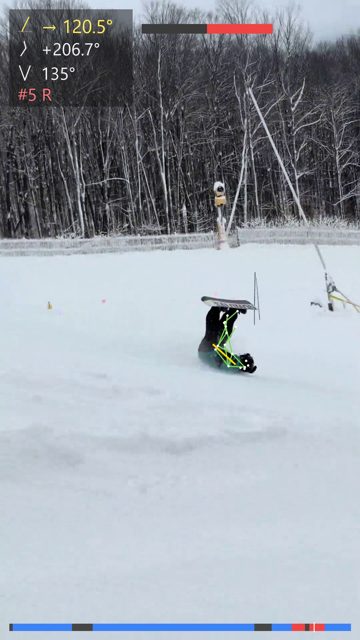
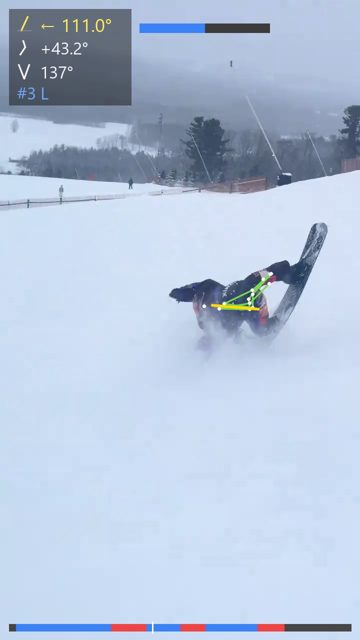
AI analysis video
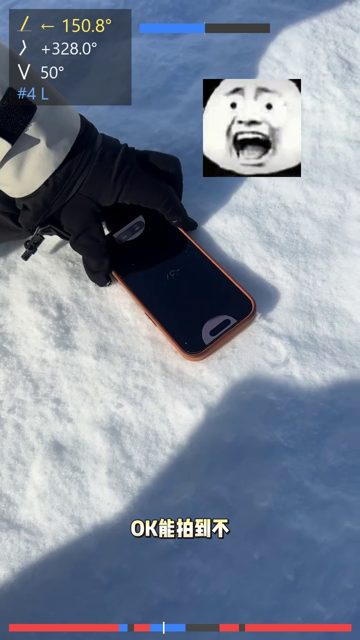
Skeleton tracking, live physics HUD, and a turn timeline along the bottom. The kind you can post as-is.
Turn-by-turn table
Peak inclination, angulation, knee flex, duration and edge-change rate for every turn, plus full-run curves. Raw JSON downloadable.
One plain takeaway
Not a score. Something like “your weak side is left turns, symmetry 76% — work on that first” that you can act on next run.
How to film it: five rules
How you film decides how accurate the numbers are. Two minutes here is worth a whole grade of report quality.
Stand directly in front of or behind the fall line
The big one. Shoot from an angle and inclination reads systematically low. Head-on or from behind is most accurate.
One unbroken clip, 15–40 seconds is ideal
The AI needs 4–6 consecutive turns to compute rhythm and symmetry. Cuts break turn segmentation.
Ideally only you in frame
Multiple riders still work — the system auto-locks onto the main subject — but detection coverage is highest with one.
30fps or higher, no slow motion
Slow motion distorts the timeline and makes every edge-change rate wrong. Your phone default of 30/60fps is perfect.
Full body in frame, not just your upper half
Crop out knees and ankles and you lose knee angle and centre-of-mass travel entirely.
Submit here
Fill this in and send. If the video link will not paste, leave it blank and I will DM you for it.
Three steps, sometimes same-day
Film a run
Follow the five rules above. Send the original file, not a re-compressed copy.
DM it to me on Douyin
DM @ALEX (33036542788) with the original video. Tell me what you are trying to fix and the report gets sharper.
Get your report
Usually 1–3 days. If there is a queue I say so publicly, so you are never left wondering.
See what other riders' reports look like
By default your analysis joins the open library and the leaderboard — that is the only route onto the board. If you would rather keep it private, say so when you send it and the report goes to you alone. Anything already public can be removed on request, immediately.